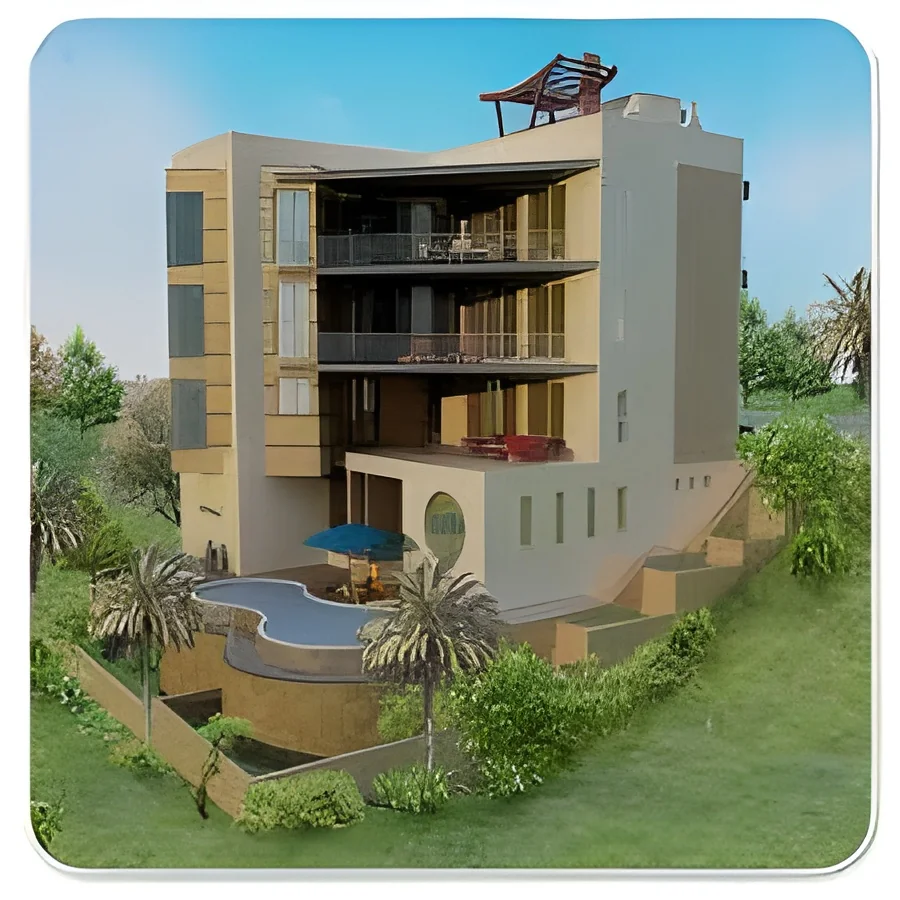
What are Architectural Walkthrough & Visualization?
Architectural Walkthrough and Visualization are advanced techniques used in architectural design to create interactive 3D representations of buildings and spaces. These tools allow architects, designers, and clients to visualize and experience a project before it is constructed. By using high-quality graphics and animations, stakeholders can navigate through spaces, assess design elements, and make informed decisions regarding layout and aesthetics.
The primary uses of Architectural Walkthrough and Visualization include design presentations, marketing materials, and client approvals. These tools are essential for enhancing communication between architects and clients, as they enable a clear understanding of the design vision. Businesses in real estate, construction, and interior design heavily rely on these visualizations to showcase projects, attract investors, and secure project approvals. In today's competitive market, leveraging such technologies is crucial for staying ahead of the competition.
Architectural Walkthrough and Visualization are increasingly relevant across various industries, including residential, commercial, and urban planning. As technology evolves, these tools continue to improve in quality and accessibility, making them vital for modern architectural practices. The demand for immersive visual experiences is growing, pushing more firms to adopt these innovative solutions.
Key Features and Specifications
Architectural Walkthrough and Visualization offer a range of features that enhance their effectiveness in design communication. These features ensure that users can achieve high-quality results tailored to specific project needs.
Key specifications include:
1. Real-time Rendering
- Provides immediate feedback during design adjustments.
- Allows for dynamic changes to lighting and materials.
2. Interactive Navigation
- Users can explore spaces from various angles and perspectives.
- Facilitates an immersive experience for clients.
3. High-Definition Graphics
- Delivers detailed textures and realistic lighting effects.
- Enhances the overall visual appeal of the presentation.
4. Integration with CAD Software
- Seamlessly connects with existing architectural design tools.
- Streamlines the workflow for designers and architects.
5. Customizable Elements
- Allows for tailored design features specific to client needs.
- Supports various architectural styles and themes.
6. Enhanced Visualization Techniques
- Includes options for virtual reality and augmented reality experiences.
- Provides a more engaging way to experience designs.
In summary, Architectural Walkthrough and Visualization combine advanced technology and creative design to facilitate effective communication and decision-making in architecture.
Common Applications and Use Cases
Architectural Walkthrough and Visualization are versatile tools applicable across numerous industries.
1. Real Estate: These tools help showcase properties to potential buyers, allowing them to explore layouts and features virtually.
2. Construction: Contractors use visualizations for project presentations and to clarify design intentions to stakeholders.
3. Interior Design: Designers utilize walkthroughs to illustrate space planning and material selections to clients.
4. Urban Planning: City planners employ visualizations to present development proposals and gauge public reaction.
5. Hospitality: Hotels and resorts use these tools to market their facilities and amenities to guests before they arrive.
6. Retail: Retailers can visualize store layouts and merchandising strategies to enhance customer experience.
7. Education: Architectural schools integrate walkthroughs into their curriculum to provide students with practical design experience.
Product Variants and Subcategories
Architectural Walkthrough and Visualization encompass a variety of options to suit different project requirements.
Virtual Reality Walkthrough
This variant offers an immersive experience by allowing users to explore designs through virtual reality headsets. It is ideal for clients seeking a detailed understanding of spatial relationships.
3D Animation Visualization
This option focuses on creating animated presentations that highlight key design features. It is particularly useful for marketing purposes and engaging presentations.
Interactive 3D Models
These models allow users to interact with the design elements, making real-time changes and adjustments. This variant is beneficial for collaborative design sessions.
Static Renderings
Static images provide high-quality representations of the design without interactivity. These are often used for print materials and online portfolios.
Benefits and Advantages
Architectural Walkthrough and Visualization provide numerous advantages that enhance the design process and client engagement.
Key benefits include:
1. Improved Client Communication: Visualizations eliminate misunderstandings by providing a clear visual representation of the design.
2. Enhanced Design Iteration: Designers can easily make adjustments based on client feedback, reducing the need for extensive revisions later.
3. Increased Sales Potential: Real estate and construction firms can showcase projects effectively, leading to higher conversion rates.
4. Time Efficiency: Quick visual feedback allows for faster decision-making and approval processes.
5. Competitive Advantage: Firms that utilize advanced visualization techniques can differentiate themselves in the market.
6. Cost Savings: By identifying design flaws early, businesses can avoid costly changes during construction.
Buying Guide for B2B Buyers
When sourcing Architectural Walkthrough and Visualization, it is essential to consider several factors that influence the selection process.
1. Quality Assessment: Evaluate the visual quality and realism of the walkthroughs. Look for samples that demonstrate high-definition graphics and realistic rendering capabilities.
2. Supplier Verification: Research potential suppliers to ensure they have a proven track record and positive client testimonials. Verify their experience in the industry.
3. Pricing and MOQ: Understand the pricing structures of different providers and inquire about minimum order quantities to ensure they align with your budget and project scale.
4. Delivery and Lead Times: Assess the supplier's ability to meet project timelines. Ensure they can deliver the final product within your required timeframe.
5. Compliance Requirements: Investigate any regulatory standards that apply to your project. Confirm that suppliers comply with relevant industry certifications.
Compliance and Certifications
Compliance and certifications play a crucial role in the quality assurance of Architectural Walkthrough and Visualization products.
Relevant quality standards such as ISO 9001 ensure that suppliers adhere to high levels of quality management. This standard emphasizes systematic processes for continuous improvement and customer satisfaction.
Industry certifications, such as CE marking, indicate that products meet European safety and environmental requirements. This certification is essential for suppliers targeting markets within the European Union.
Safety and testing requirements are also critical in ensuring that the products used in architectural visualization meet necessary safety standards. Suppliers should provide documentation regarding safety protocols and testing procedures.
Regional compliance considerations may vary depending on local regulations. It is important for buyers to confirm that suppliers are knowledgeable about and compliant with regional standards.
Why Source Architectural Walkthrough & Visualization from Pepagora?
Pepagora provides a trusted platform for sourcing Architectural Walkthrough and Visualization, offering several key advantages to B2B buyers.
Verified Supplier Network: Pepagora ensures that all suppliers on the platform are thoroughly vetted. This verification process helps buyers connect with reliable partners who meet industry standards.
Streamlined RFQ Process: The Request for Quotation (RFQ) system simplifies the procurement process. Buyers can easily submit their requirements and receive multiple quotations, facilitating informed decision-making.
Trade Assurance and Support: Pepagora offers buyer protection through trade assurance policies. This support ensures that buyers can have confidence in their transactions and receive quality products.
Regional Coverage: With a strong presence in India, the GCC, and Southeast Asia, Pepagora provides extensive geographic reach. This coverage enables buyers to access a diverse range of suppliers tailored to their regional needs.

 IN
IN