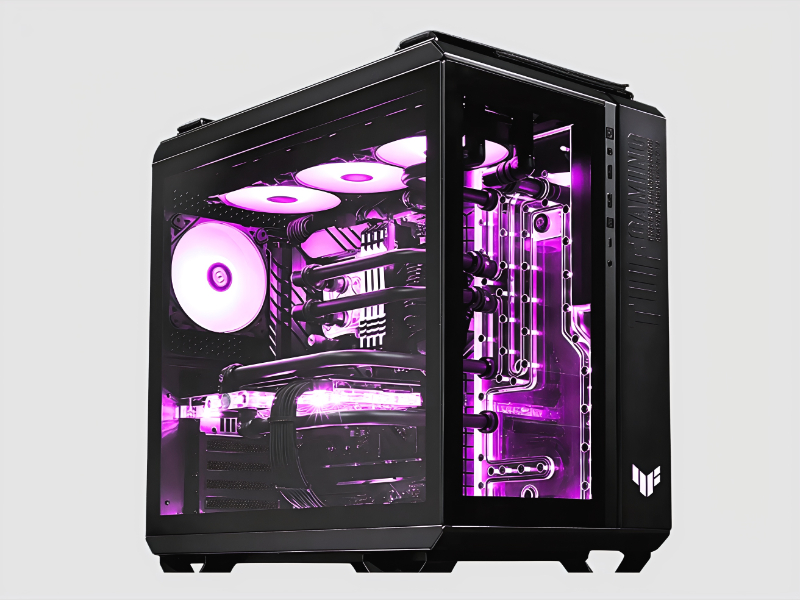
What are Desktop Computers?
Desktop computers are personal computing systems designed for regular use at a single location. Typically consisting of a monitor, keyboard, mouse, and a central processing unit (CPU), these systems are built to perform a wide range of tasks, from basic office applications to complex data analysis. They offer significant processing power and storage capacity compared to laptops, making them a preferred choice for many business environments.
In a business context, desktop computers are commonly used for tasks such as word processing, spreadsheet management, graphic design, software development, and data entry. Their robust performance and ability to run multiple applications simultaneously make them ideal for industries such as finance, healthcare, and engineering. As technology evolves, desktop computers continue to adapt, integrating advanced features that enhance productivity and efficiency in the workplace.
The relevance of desktop computers in today’s market cannot be overstated. While mobile devices have gained popularity, desktop computers remain essential in various sectors where processing power, screen size, and ergonomic setup are crucial. The demand for reliable desktop computers persists, especially in corporate environments that require high performance and durability over extended periods.
Key Features and Specifications
Desktop computers come equipped with various features and specifications designed to meet the diverse needs of businesses. Understanding these specifications is crucial for making informed purchasing decisions.
Key specifications include:
1. Processor
- The CPU is the heart of the desktop, impacting speed and performance.
- Common options include Intel Core i5, i7, and AMD Ryzen series.
2. Memory (RAM)
- RAM determines how many applications can run simultaneously without lag.
- Ranges typically vary from 8GB to 64GB, depending on use.
3. Storage
- Storage options include Hard Disk Drives (HDD) and Solid-State Drives (SSD).
- Capacities can range from 256GB SSD to several terabytes for HDD.
4. Graphics Card
- Essential for tasks requiring visual rendering, such as design and gaming.
- Integrated or dedicated options are available depending on requirements.
5. Operating System
- The software platform that runs the desktop, influencing usability.
- Popular choices include Windows, macOS, and Linux distributions.
6. Connectivity
- Includes USB ports, HDMI outputs, and network interfaces.
- Ensures compatibility with peripherals and internet access.
7. Form Factor
- Desktops come in various shapes, including tower, all-in-one, and mini.
- The form factor affects space usage and aesthetics in an office.
8. Warranty and Support
- Often covers repairs and replacements for a specified period.
- Essential for minimizing downtime and ensuring service continuity.
In summary, selecting the right desktop computer involves understanding these specifications to align with business needs and performance expectations.
Common Applications and Use Cases
Desktop computers serve a variety of industries, providing tailored solutions for specific applications.
1. Finance: In the finance sector, desktop computers are essential for complex calculations, data analysis, and trading applications. They enable financial analysts to run simulations and manage portfolios effectively.
2. Healthcare: Healthcare professionals utilize desktop computers for electronic health records management, patient data analysis, and telemedicine applications. Their reliability ensures that critical information is always accessible.
3. Education: Educational institutions use desktops for teaching purposes, research, and administrative tasks. Classrooms equipped with desktops enhance learning through interactive software and online resources.
4. Engineering: Engineers rely on high-performance desktops for design software, simulations, and project management. The computational power allows for detailed modeling and analysis.
5. Creative Industries: Graphic designers, video editors, and content creators use desktops for their powerful graphics capabilities, enabling them to produce high-quality visual content.
6. Manufacturing: In manufacturing, desktops assist in designing products, managing supply chains, and conducting data analysis for operational efficiency.
7. Retail: Retail businesses use desktop systems for inventory management, sales tracking, and customer relationship management, streamlining their operations.
Product Variants and Subcategories
Desktop computers are available in various forms to cater to different user needs and preferences.
All-in-One Desktops: These integrate the monitor and computer components into a single unit, saving space and reducing cable clutter. They are ideal for environments where aesthetics and space efficiency are priorities.
Tower Desktops: Traditional tower desktops offer powerful performance and upgradeability options. They are suitable for users who require extensive processing power and customization capabilities.
Mini PCs: Compact and energy-efficient, mini PCs are perfect for limited workspace settings. They still provide sufficient power for everyday tasks and are often used in kiosks or digital displays.
Workstations: Designed for demanding applications, workstations offer superior performance with advanced processors and high-end graphics. They are commonly used in fields like graphic design, engineering, and scientific research.
Benefits and Advantages
Desktop computers offer numerous advantages that make them a strong choice for businesses.
1. Performance: Desktops generally provide superior processing power compared to laptops, making them suitable for resource-intensive applications.
2. Customizability: Many desktop models allow for upgrades and modifications, enabling businesses to tailor systems to their specific needs.
3. Ergonomics: Desktops can be set up with external monitors, keyboards, and mice, promoting better posture and comfort during prolonged use.
4. Cost-Effectiveness: Desktops often deliver better performance for the price compared to portable computers, offering a more economical solution for businesses.
5. Longevity: With proper maintenance, desktop computers can have a longer lifespan than laptops, reducing the need for frequent replacements.
6. Enhanced Cooling: Desktops typically have better cooling systems, which can lead to improved performance and longevity in demanding environments.
Buying Guide for B2B Buyers
When sourcing desktop computers, several key factors should be considered to ensure a sound investment.
1. Quality Assessment: Evaluate the quality of materials and components used in the desktop. Look for reputable brands that adhere to high manufacturing standards to ensure durability.
2. Supplier Verification: It is crucial to vet suppliers for reliability and reputation. Check for certifications, customer reviews, and their history in the market to ensure you are partnering with trustworthy vendors.
3. Pricing and MOQ: Understand the price range for the desktops you are interested in and inquire about minimum order quantities (MOQ). This helps in budgeting and ensuring you meet supplier requirements.
4. Delivery and Lead Times: Discuss logistics with suppliers. Ensure that their delivery schedules align with your operational needs to avoid delays that could impact your business.
5. Compliance Requirements: Be aware of any regulatory compliance necessary for your industry. This may include safety standards and environmental regulations that the desktops must adhere to.
Compliance and Certifications
Desktop computers are subject to various quality standards and compliance requirements to ensure safety and reliability.
ISO 9001: This standard focuses on quality management systems, ensuring that manufacturers consistently meet customer requirements and enhance satisfaction.
CE Certification: This certification indicates that the product complies with European health, safety, and environmental protection standards. It is essential for businesses exporting to or operating within Europe.
Safety and Testing Requirements: Desktop computers must undergo rigorous testing to meet safety regulations, including electrical safety and electromagnetic compatibility.
Regional Compliance Considerations: Depending on the market, additional compliance standards may apply. Businesses should ensure that the desktops they purchase meet local regulations and industry standards.
Why Source Desktop Computers from Pepagora?
Pepagora offers a reliable platform for sourcing desktop computers, combining quality assurance with a wide supplier network.
Verified Supplier Network: Pepagora features a carefully vetted network of suppliers, ensuring that buyers have access to trusted manufacturers. This verification process reduces risks associated with sourcing.
Streamlined RFQ Process: The Request for Quotation (RFQ) system simplifies the procurement process. Buyers can easily submit requests and receive competitive quotes from multiple suppliers.
Trade Assurance and Support: Pepagora provides trade assurance, protecting buyers from potential issues during transactions. This support fosters confidence in the sourcing process.
Regional Coverage: With a presence in India, the GCC, and Southeast Asia, Pepagora offers extensive geographic reach, allowing businesses to connect with suppliers in various markets for their desktop computer needs.

 IN
IN