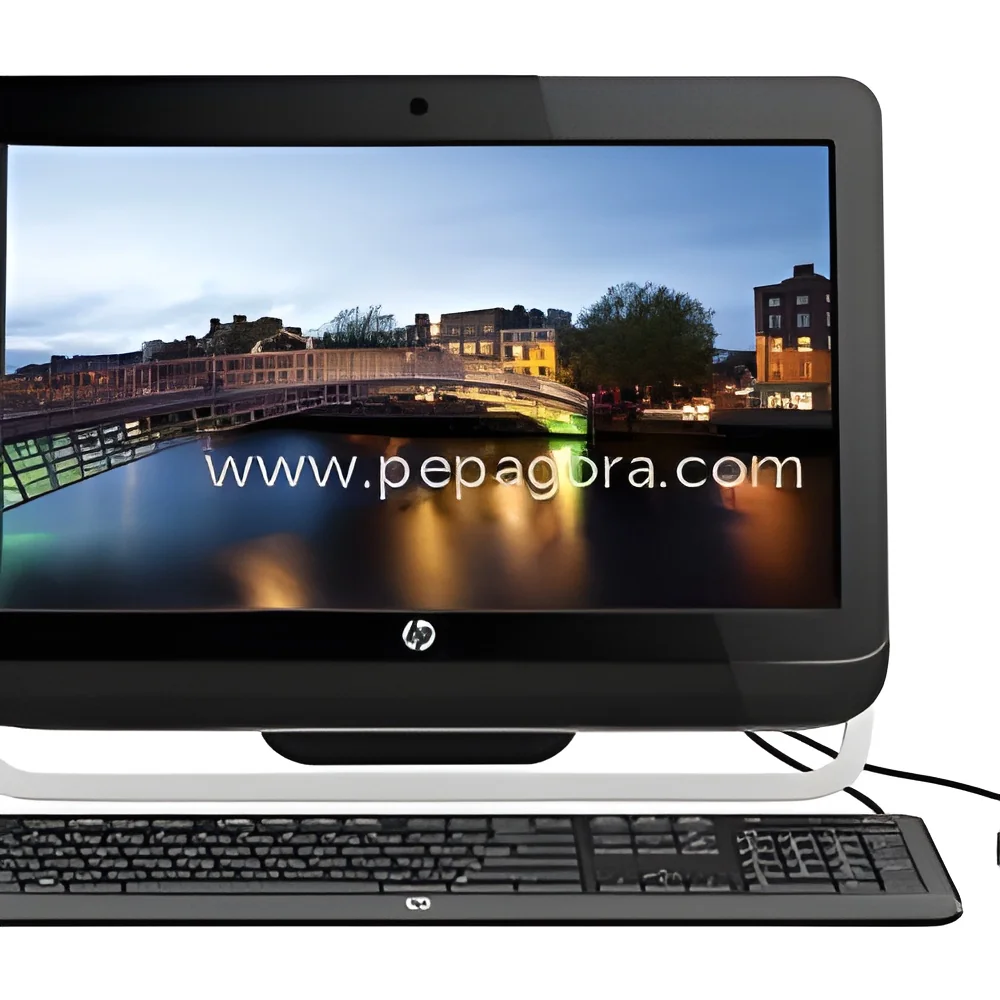
𝗪𝗵𝗮𝘁 𝗮𝗿𝗲 𝗔𝗹𝗹-𝗶𝗻-𝗢𝗻𝗲 𝗗𝗲𝘀𝗸𝘁𝗼𝗽𝘀?
All-in-One Desktops are integrated computing devices that combine the monitor and computer components into a single unit. This design eliminates the need for a separate tower or CPU, resulting in a streamlined appearance and reduced clutter. These desktops typically include all essential hardware, such as the processor, memory, storage, and graphics capabilities, within the display unit itself, which often features touch functionality.
In business environments, All-in-One Desktops are primarily used for tasks requiring efficient computing power in a compact form factor. They are ideal for office settings, retail environments, and educational institutions where space is limited and aesthetics matter. Their versatility allows them to handle various applications, from administrative tasks to graphic design and multimedia presentations.
The relevance of All-in-One Desktops spans multiple industries, including technology, education, and retail. As businesses continue to seek efficient solutions that save space and enhance productivity, the demand for these devices is expected to grow. Their market presence reflects a shift towards more integrated, user-friendly technology, catering to the needs of modern workplaces.
𝗞𝗲𝘆 𝗙𝗲𝗮𝘁𝘂𝗿𝗲𝘀 𝗮𝗻𝗱 𝗦𝗽𝗲𝗰𝗶𝗳𝗶𝗰𝗮𝘁𝗶𝗼𝗻𝘀
All-in-One Desktops come equipped with a range of features and specifications that make them suitable for diverse business applications. They are designed to deliver performance, reliability, and ease of use, meeting the demands of various industries.
Key specifications include:
1. Display Size
- Common sizes range from 21 to 32 inches
- Resolution options typically include Full HD (1920x1080) and 4K (3840x2160)
2. Processor Type
- Options typically include Intel Core i3, i5, i7, and AMD Ryzen processors
- Performance varies based on generation and model
3. RAM Capacity
- Standard configurations range from 4GB to 32GB
- Expandable RAM options may be available
4. Storage Type
- Options include traditional HDD and faster SSD
- Storage capacities typically range from 256GB to 2TB
5. Graphics Card
- Integrated graphics options and dedicated GPU options available
- Suitable for light gaming and graphic design tasks
6. Connectivity Options
- Common ports include USB, HDMI, Ethernet, and audio jacks
- Wireless connectivity options typically include Wi-Fi and Bluetooth
7. Operating System
- Pre-installed operating systems commonly include Windows and Linux
- Custom OS options may be available based on business needs
8. Built-in Features
- Many models come with integrated webcams, microphones, and speakers
- Touchscreen functionality may be available in select models
All-in-One Desktops offer a combination of performance and efficiency tailored to meet the evolving demands of businesses.
𝗖𝗼𝗺𝗺𝗼𝗻 𝗔𝗽𝗽𝗹𝗶𝗰𝗮𝘁𝗶𝗼𝗻𝘀 𝗮𝗻𝗱 𝗨𝘀𝗲 𝗖𝗮𝘀𝗲𝘀
All-in-One Desktops are versatile devices applicable across various industries. Their compact design and robust features make them suitable for many business environments.
1. Education: In classrooms and labs, All-in-One Desktops facilitate interactive learning and multimedia presentations, enhancing the educational experience for both students and teachers.
2. Retail: Retailers use these devices for point-of-sale systems, customer engagement, and inventory management, offering a sleek solution that saves space on sales counters.
3. Healthcare: In medical offices and clinics, All-in-One Desktops are utilized for patient management, record keeping, and telemedicine applications, providing a reliable tool for healthcare professionals.
4. Corporate Offices: Business environments leverage these desktops for administrative tasks, video conferencing, and collaborative work, promoting productivity in a streamlined setup.
5. Design and Multimedia: Graphic designers and content creators benefit from the powerful performance and high-resolution displays that All-in-One Desktops provide for design applications and video editing.
6. Hospitality: Hotels and restaurants employ these devices for guest check-in, menu displays, and reservation management, combining functionality with an appealing appearance.
7. Small Businesses: Entrepreneurs and startups often choose All-in-One Desktops for their cost-effectiveness and space-saving design, allowing them to set up efficient workspaces easily.
𝗣𝗿𝗼𝗱𝘂𝗰𝘁 𝗩𝗮𝗿𝗶𝗮𝗻𝘁𝘀 𝗮𝗻𝗱 𝗦𝘂𝗯𝗰𝗮𝘁𝗲𝗴𝗼𝗿𝗶𝗲𝘀
All-in-One Desktops come in various configurations and feature sets to cater to different business needs.
Business Model
This variant is optimized for corporate environments, featuring high-performance processors, ample RAM, and large storage options. It is ideal for data-intensive applications and multitasking.
Creative Model
Designed for graphic designers and content creators, this variant includes enhanced graphics capabilities and high-resolution displays. It is suitable for video editing, 3D modeling, and other creative tasks.
Educational Model
Tailored for educational institutions, this version often includes features such as durable build quality, touchscreen capabilities, and user-friendly interfaces to facilitate learning.
Home Office Model
This variant is designed for remote workers, providing a balance of performance and affordability. It typically includes essential features for video conferencing and productivity tasks.
𝗕𝗲𝗻𝗲𝗳𝗶𝘁𝘀 𝗮𝗻𝗱 𝗔𝗱𝘃𝗮𝗻𝘁𝗮𝗴𝗲𝘀
All-in-One Desktops provide numerous benefits that make them an attractive choice for businesses.
1. Space Efficiency: The compact design reduces the footprint in workspaces, making it ideal for environments where space is limited.
2. Integrated Design: With all components housed in one unit, there is less cable clutter, leading to a cleaner and more organized workspace.
3. Easy Setup: All-in-One Desktops are generally easy to set up, requiring minimal installation, which can save time for businesses.
4. Versatility: They are suitable for various applications, from administrative tasks to creative work, making them a flexible option for different industries.
5. Cost-Effectiveness: Combining multiple components into one device can lead to cost savings, reducing the need for separate peripherals.
6. Improved Aesthetics: The sleek design of All-in-One Desktops enhances the visual appeal of any workspace, contributing to a professional environment.
𝗕𝘂𝘆𝗶𝗻𝗴 𝗚𝘂𝗶𝗱𝗲 𝗳𝗼𝗿 𝗕𝟮𝗕 𝗕𝘂𝘆𝗲𝗿𝘀
When sourcing All-in-One Desktops, businesses should consider several critical factors to ensure they select the right product.
1. Quality Assessment: Look for reputable brands with a history of reliability and performance. Check product reviews and ratings to gauge quality.
2. Supplier Verification: Vet suppliers to ensure they are credible and can provide support and warranty services. Check for customer feedback and industry reputation.
3. Pricing and MOQ: Understand the pricing structure and minimum order quantities (MOQ). Compare costs across different suppliers to find the best value for your budget.
4. Delivery and Lead Times: Inquire about delivery schedules and lead times to ensure that the products can be received when needed. Consider logistics and potential delays.
5. Compliance Requirements: Ensure that the products meet any relevant industry standards and regulations. This may include safety certifications and environmental compliance.
𝗖𝗼𝗺𝗽𝗹𝗶𝗮𝗻𝗰𝗲 𝗮𝗻𝗱 𝗖𝗲𝗿𝘁𝗶𝗳𝗶𝗰𝗮𝘁𝗶𝗼𝗻𝘀
All-in-One Desktops must adhere to various compliance and certification requirements to ensure safety and quality standards are met.
ISO 9001 is a well-known quality management standard that many manufacturers strive to achieve. This certification indicates that a company meets international standards for producing high-quality products.
CE marking signifies that a product meets European safety, health, and environmental protection standards. This certification is crucial for businesses looking to market their products in Europe.
Safety and testing requirements are critical in ensuring that All-in-One Desktops operate without risk to users. Manufacturers often conduct thorough testing to comply with safety regulations.
Regional compliance considerations may vary depending on the market. It is essential for businesses to be aware of local regulations that may affect the sourcing and use of All-in-One Desktops.
𝗪𝗵𝘆 𝗦𝗼𝘂𝗿𝗰𝗲 𝗔𝗹𝗹-𝗶𝗻-𝗢𝗻𝗲 𝗗𝗲𝘀𝗸𝘁𝗼𝗽𝘀 𝗳𝗿𝗼𝗺 𝗣𝗲𝗽𝗮𝗴𝗼𝗿𝗮?
Pepagora provides a trusted platform for sourcing All-in-One Desktops, offering several key advantages for B2B buyers.
Verified Supplier Network: Pepagora connects buyers with a network of verified suppliers, ensuring that businesses can source quality products from reliable sources. This verification process helps reduce risks associated with procurement.
Streamlined RFQ Process: The Request for Quotation (RFQ) system simplifies the purchasing process for buyers. By submitting a single RFQ, businesses can receive multiple quotes from different suppliers, enhancing competition and price transparency.
Trade Assurance and Support: Pepagora offers trade assurance, protecting buyers against potential issues during the transaction process. This added layer of support gives buyers confidence in their purchases.
Regional Coverage: With a broad geographic reach across India, the Gulf Cooperation Council (GCC), and Southeast Asia, Pepagora connects businesses with suppliers across various regions, facilitating international trade and expanding sourcing options.

 IN
IN