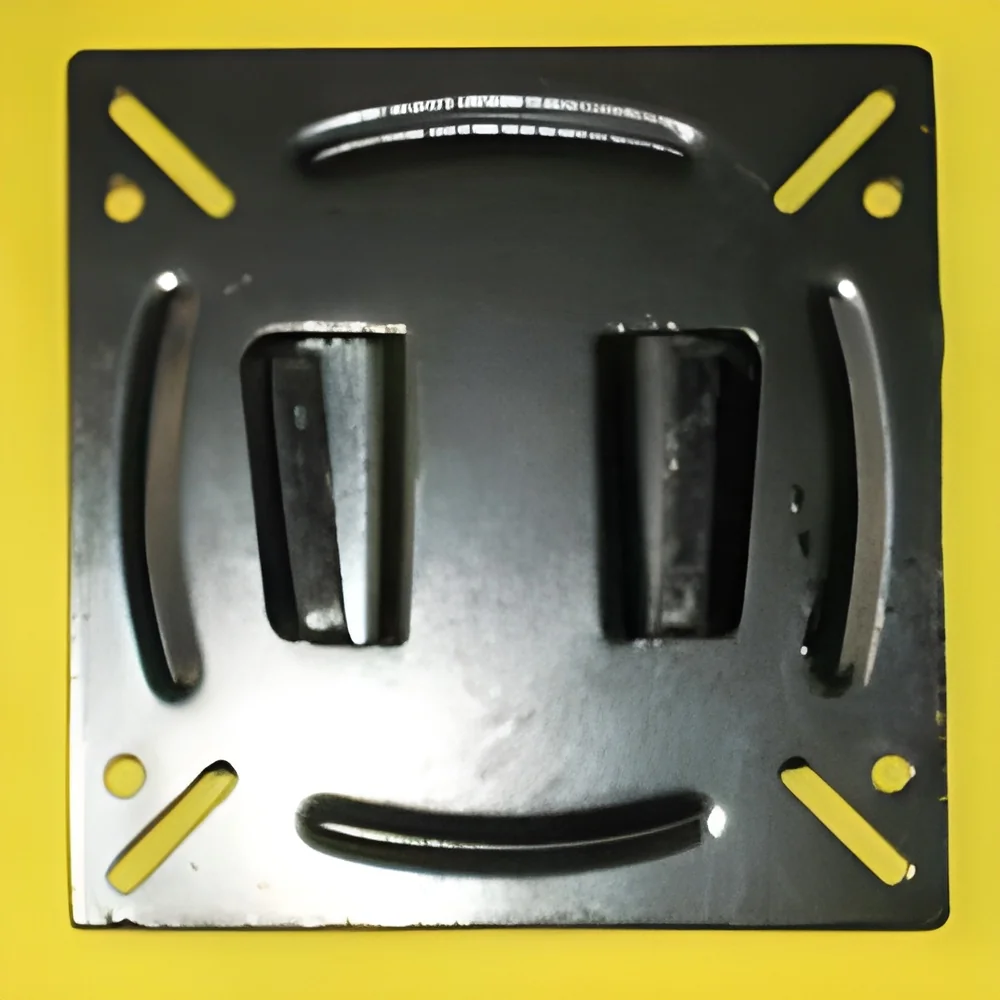
𝗪𝗵𝗮𝘁 𝗮𝗿𝗲 𝗠𝗼𝗻𝗶𝘁𝗼𝗿 𝗔𝗿𝗺𝘀 & 𝗠𝗼𝘂𝗻𝘁𝘀?
Monitor arms and mounts are specialized devices designed to hold computer monitors securely in place. These products facilitate ergonomic positioning, allowing users to adjust the height, angle, and distance of their screens. By doing so, they help reduce physical strain and enhance comfort during prolonged use. Monitor arms can be attached to desks or walls, depending on the design, and are often made from durable materials to support various monitor sizes.
Primarily, monitor arms and mounts are used in office environments, where multiple screens are common. They are essential for creating organized and clutter-free workspaces. Businesses benefit from these products by improving employee productivity and comfort. Additionally, they are utilized in industrial settings, control rooms, and educational institutions, making them versatile tools for various applications. The demand for monitor arms and mounts is growing as companies increasingly focus on employee well-being and efficient workspace design.
𝗞𝗲𝘆 𝗙𝗲𝗮𝘁𝘂𝗿𝗲𝘀 𝗮𝗻𝗱 𝗦𝗽𝗲𝗰𝗶𝗳𝗶𝗰𝗮𝘁𝗶𝗼𝗻𝘀
Monitor arms and mounts come with a variety of features that enhance usability and functionality. These features ensure that monitors can be adjusted easily to suit individual preferences and work requirements. Understanding these specifications is crucial when selecting the right product for your business needs.
Key specifications include:
1. Adjustable Height
- Allows users to easily modify the height of the monitor.
- Typically ranges from 10 to 20 inches of height adjustment.
2. Swivel Range
- Enables the monitor to pivot left and right for optimal viewing.
- Common swivel ranges are from 90 to 180 degrees.
3. Tilt Functionality
- Provides the ability to tilt the monitor up or down.
- Standard tilt angles range from -15 to +15 degrees.
4. Weight Capacity
- Indicates the maximum weight the arm can support.
- Common weight capacities range from 10 to 30 pounds.
5. VESA Compatibility
- Refers to the standard mounting interface for monitors.
- Most arms support VESA sizes of 75x75 mm and 100x100 mm.
6. Material Composition
- Typically made from aluminum or steel for durability.
- Coatings often include powder coating for improved aesthetics.
7. Cable Management
- Designed to organize and conceal cables for a tidy workspace.
- Features may include built-in clips or channels.
8. Mounting Options
- Includes desk clamp, grommet, or wall-mount options.
- Flexibility in mounting allows for various installation preferences.
These features collectively contribute to the overall functionality and user experience of monitor arms and mounts, making them essential components in modern workspaces.
𝗖𝗼𝗺𝗺𝗼𝗻 𝗔𝗽𝗽𝗹𝗶𝗰𝗮𝘁𝗶𝗼𝗻𝘀 𝗮𝗻𝗱 𝗨𝘀𝗲 𝗖𝗮𝘀𝗲𝘀
Monitor arms and mounts serve various industries, providing tailored solutions for specific needs.
1. Office Environments: Monitor arms are widely used in office spaces to enhance ergonomics. They allow multiple monitors to be arranged efficiently, improving workflow and reducing neck strain.
2. Control Rooms: In environments where monitoring is critical, such as security or transportation, these mounts help optimize visibility and accessibility of screens.
3. Educational Institutions: Schools and universities use monitor mounts in computer labs and lecture halls, facilitating better engagement and presentation capabilities.
4. Healthcare: In clinics and hospitals, monitor arms can help position screens for better viewing by both medical staff and patients.
5. Manufacturing: In production settings, monitors mounted on arms can display real-time data, improving operational efficiency.
6. Creative Studios: Designers and video editors benefit from adjustable monitor setups that allow for precise viewing angles and collaborative work.
7. Home Offices: With the rise of remote work, home office setups increasingly utilize monitor arms to create ergonomic workspaces.
𝗣𝗿𝗼𝗱𝘂𝗰𝘁 𝗩𝗮𝗿𝗶𝗮𝗻𝘁𝘀 𝗮𝗻𝗱 𝗦𝘂𝗯𝗰𝗮𝘁𝗲𝗴𝗼𝗿𝗶𝗲𝘀
Monitor arms and mounts are diverse in their designs and functionalities, catering to different user requirements and environments.
Desk Mount Monitor Arms: These variants are designed to clamp onto desks, providing a stable and adjustable screen position. They often feature multiple joints for extensive range of motion.
Wall-Mounted Monitor Arms: Ideal for spaces with limited desk surface, these arms attach directly to walls, allowing for optimal space utilization while maintaining adjustability.
Multi-Monitor Stands: These are specialized arms that support multiple monitors simultaneously, perfect for traders or graphic designers who need extensive screen real estate.
Laptop Mounts: Some monitor arms are designed to hold laptops, combining the benefits of a laptop stand with the flexibility of a monitor arm for improved ergonomics.
𝗕𝗲𝗻𝗲𝗳𝗶𝘁𝘀 𝗮𝗻𝗱 𝗔𝗱𝘃𝗮𝗻𝘁𝗮𝗴𝗲𝘀
The advantages of using monitor arms and mounts are significant and can greatly enhance workplace efficiency.
1. Improved Ergonomics: By allowing users to adjust monitor height and angle, these products help reduce the risk of musculoskeletal disorders.
2. Increased Desk Space: Monitor arms free up valuable desk space, allowing for a cleaner and more organized work environment.
3. Enhanced Collaboration: Easily adjustable monitors can facilitate group work, making it simpler for teams to share screens and ideas.
4. Flexibility and Customization: Users can adjust their monitor setups based on their preferences, promoting comfort and productivity.
5. Aesthetic Appeal: A well-organized workspace with monitor arms can enhance the visual appeal of an office, contributing to a professional atmosphere.
6. Improved Productivity: By creating an ergonomic workspace, employees are likely to experience increased focus and reduced fatigue, leading to higher productivity levels.
𝗕𝘂𝘆𝗶𝗻𝗴 𝗚𝘂𝗶𝗱𝗲 𝗳𝗼𝗿 𝗕𝟮𝗕 𝗕𝘂𝘆𝗲𝗿𝘀
When sourcing monitor arms and mounts, it is essential to consider several factors to ensure the right choice for your organization.
1. Quality Assessment: Evaluate the materials and construction of the arms. Look for products that offer durability and stability over time.
2. Supplier Verification: Research potential suppliers to ensure they have a reliable track record. Check for reviews and certifications to confirm their credibility.
3. Pricing and MOQ: Consider the cost implications and minimum order quantities. Compare prices across different suppliers to find competitive offers.
4. Delivery and Lead Times: Understand the logistics involved. Ensure that the supplier can meet your delivery requirements and timelines.
5. Compliance Requirements: Be aware of any industry standards or regulations that may apply to your purchase, ensuring that the products meet necessary compliance.
𝗖𝗼𝗺𝗽𝗹𝗶𝗮𝗻𝗰𝗲 𝗮𝗻𝗱 𝗖𝗲𝗿𝘁𝗶𝗳𝗶𝗰𝗮𝘁𝗶𝗼𝗻𝘀
Monitor arms and mounts must adhere to various quality standards and certifications to ensure safety and reliability. ISO 9001 certification indicates that a manufacturer maintains high-quality management practices. This is crucial for products that will be used in professional environments.
CE certification is also relevant for monitor arms and mounts, ensuring that they meet European safety, health, and environmental protection standards.
Safety testing is essential, particularly for products that will support heavy monitors. Manufacturers should provide evidence of thorough testing to guarantee that their products can withstand regular use without failure.
Businesses should also consider regional compliance requirements, particularly if operating in multiple countries. Different regions may have specific regulations that impact product safety and performance.
𝗪𝗵𝘆 𝗦𝗼𝘂𝗿𝗰𝗲 𝗠𝗼𝗻𝗶𝘁𝗼𝗿 𝗔𝗿𝗺𝘀 & 𝗠𝗼𝘂𝗻𝘁𝘀 𝗳𝗿𝗼𝗺 𝗣𝗲𝗽𝗮𝗴𝗼𝗿𝗮?
Pepagora provides a trusted platform for sourcing monitor arms and mounts, offering several key advantages.
Verified Supplier Network: Pepagora features a network of verified suppliers, ensuring that buyers engage with reputable manufacturers. This reduces the risk of subpar products and enhances buyer confidence.
Streamlined RFQ Process: The platform simplifies the request for quotation (RFQ) process, allowing buyers to receive competitive quotes quickly and efficiently. This saves time and facilitates better purchasing decisions.
Trade Assurance and Support: Buyers benefit from trade assurance, which provides protection against disruptions in the supply chain. Pepagora offers support throughout the purchasing process, ensuring a smooth transaction.
Regional Coverage: With a presence in India, the GCC, and Southeast Asia, Pepagora caters to a diverse range of businesses. This geographic reach allows buyers to access products that meet local market demands while ensuring quality and compliance.
By choosing Pepagora, businesses can confidently source monitor arms and mounts that meet their specific needs, backed by a reliable support system.

 IN
IN