What are Laptop Stands & Risers?
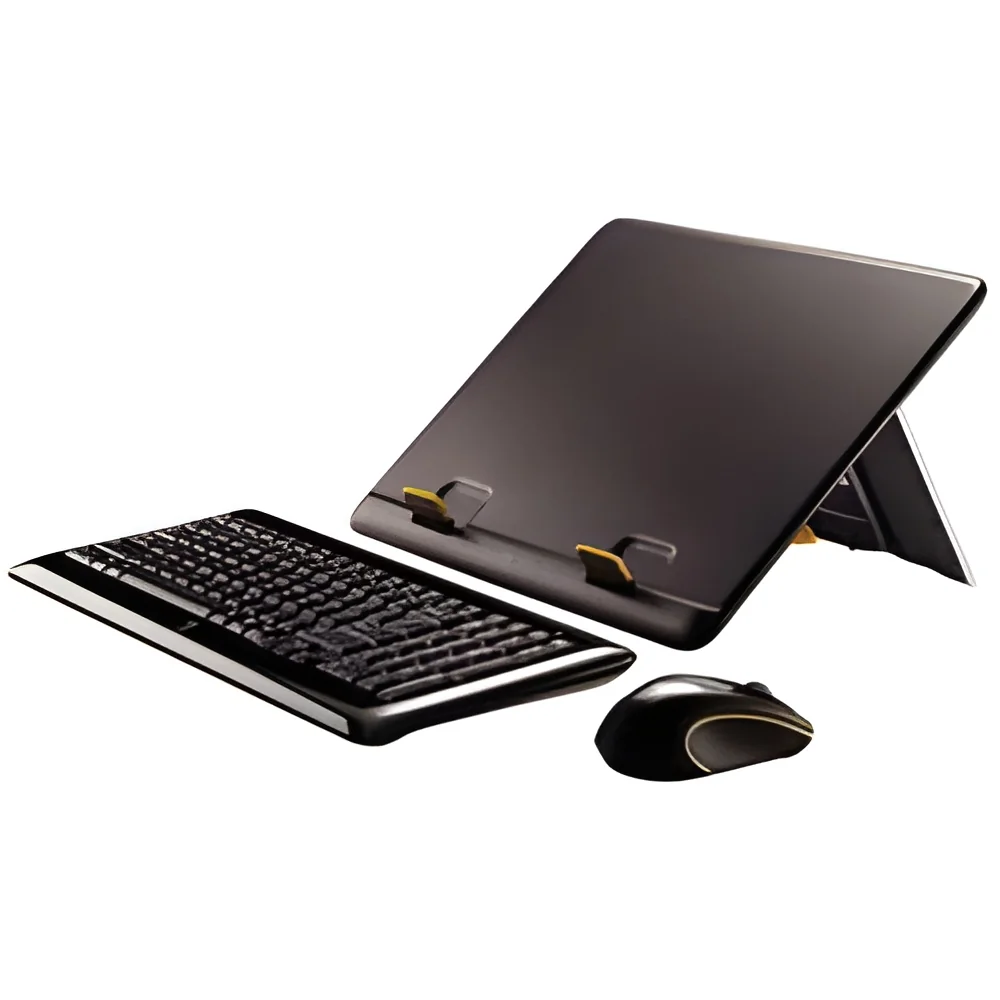
Laptop stands and risers are essential ergonomic accessories designed to elevate laptops to a comfortable viewing height. They provide a stable and secure platform, which can help reduce neck and back strain by promoting better posture during prolonged computer use. These products are available in various designs and materials, allowing users to choose options that best fit their workspace and aesthetic preferences.
In business applications, laptop stands and risers are widely used in offices, co-working spaces, and educational institutions. They are particularly beneficial for professionals who spend long hours working on laptops. By improving ergonomics, these accessories not only enhance user comfort but also contribute to increased productivity. The market for laptop stands and risers has grown significantly, driven by the rising awareness of workplace ergonomics and the increasing prevalence of remote work.
Key Features and Specifications
When selecting laptop stands and risers, several key features and specifications should be considered to ensure functionality and suitability for various environments.
Key specifications include:
1. Adjustable Height
- Many stands offer adjustable height settings to accommodate different user preferences and desk heights.
- Height ranges can vary, typically from 2 to 8 inches.
2. Material Type
- Stands are commonly made from materials such as aluminum, plastic, or wood, each offering different durability and aesthetics.
- Weight capacities can differ based on material, generally supporting weights up to 20 kg.
3. Portability
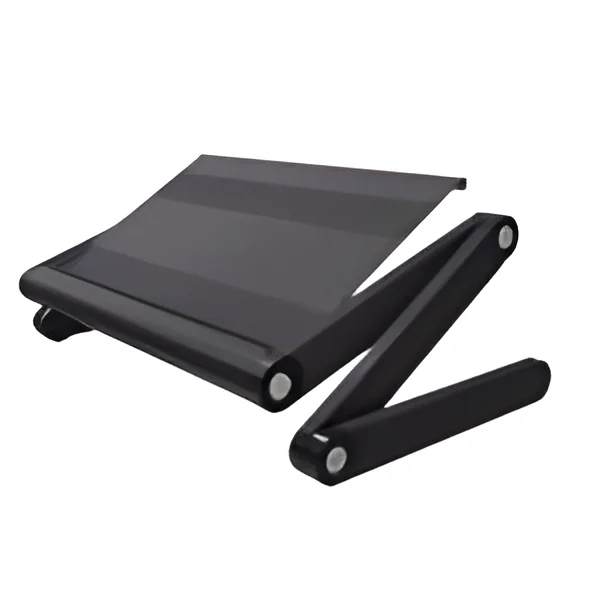
- Some laptop stands are designed to be lightweight and foldable, making them easy to transport.
- Ideal for professionals who require mobility between different workspaces.
4. Stability Features
- Non-slip pads or weighted bases help ensure that the stand remains stable during use.
- Designs may include features that prevent the laptop from sliding or tipping.
5. Ventilation Design
- Many laptop stands include ventilation holes or slits to promote airflow and prevent overheating.
- This feature is particularly important for high-performance laptops.
6. Cable Management
- Some stands incorporate cable management systems to keep cords organized and out of the way.
- This can help maintain a tidy workspace and reduce clutter.
7. Compatibility
- Stands should support various laptop sizes and brands, ensuring versatility.
- Most stands accommodate laptops ranging from 11 to 17 inches.
8. Aesthetic Appeal
- Options are available in various colors and finishes to match workplace decor.
- Aesthetic choices can enhance the overall look of a workspace while providing functionality.
In summary, when choosing laptop stands and risers, it is essential to consider these specifications to ensure that the selected product meets both ergonomic needs and workspace requirements.
Common Applications and Use Cases
Laptop stands and risers find utility in diverse industries, enhancing user comfort and productivity.
1. Corporate Offices: In corporate settings, employees frequently use laptop stands to improve posture and reduce fatigue during long hours of work. Adjustable models are particularly popular for accommodating various desk setups.
2. Educational Institutions: Schools and universities utilize laptop stands in classrooms and libraries, allowing students to maintain proper ergonomics while studying. This adjustment can help improve focus and learning outcomes.
3. Freelance and Remote Work: Freelancers and remote workers benefit from portable laptop stands, which enhance comfort in non-traditional workspaces. These products enable effective collaboration during meetings and presentations.
4. Creative Studios: Graphic designers and video editors often use laptop risers to create a comfortable working environment. The elevated screen height allows for better visibility and reduces neck strain during detailed work.
5. Healthcare Facilities: In hospitals and clinics, healthcare professionals use laptop stands for patient management systems. The ergonomic design supports prolonged use and enhances workflow efficiency.
6. Tech Hubs: Co-working spaces and tech hubs frequently feature laptop stands to promote a healthy work environment. Members can customize their setups for optimal ergonomics, fostering productivity.
7. Home Offices: With the rise of remote work, home offices have become a focal point for ergonomic solutions. Laptop stands help create dedicated workspaces that encourage better habits and focus.
Product Variants and Subcategories
Laptop stands and risers come in various forms to suit different user needs and preferences.
Adjustable Laptop Stand
This variant features a height-adjustable design, allowing users to customize the screen height for optimal ergonomics. It often includes a sturdy base and can support multiple laptop sizes.
Portable Laptop Stand
Designed for on-the-go professionals, this lightweight and foldable option is easy to transport. It is ideal for those who work in multiple locations or attend meetings frequently.
Fixed Height Stand
A more straightforward option, fixed height stands are designed for specific desk heights. They provide stability but lack the adjustability of other variants, making them suitable for consistent workspace configurations.
Cooling Laptop Stand
Equipped with built-in fans or ventilation features, these stands help dissipate heat from laptops. This variant is particularly useful for high-performance laptops that require additional cooling.
Benefits and Advantages
Laptop stands and risers offer numerous benefits that enhance user experience and productivity.
1. Improved Ergonomics: By elevating the laptop screen, these stands help promote better posture, reducing the risk of neck and back pain.
2. Increased Productivity: Comfortable work environments lead to increased focus and efficiency. Employees can work longer hours without discomfort.
3. Enhanced Airflow: Many laptop stands include ventilation features that help prevent overheating, which can extend the lifespan of the device.
4. Versatility: With various designs available, stands can accommodate different laptop sizes and user preferences, making them suitable for diverse work environments.
5. Portability: Lightweight and foldable models allow users to easily transport their stands, ensuring comfort wherever they work.
6. Organization: Cable management features help keep workspaces tidy, reducing clutter and distractions.
Buying Guide for B2B Buyers
When sourcing laptop stands and risers for business use, several key factors should be considered to ensure the best purchase decision.
1. Quality Assessment: Evaluate the materials and construction of the stands. Look for durable options that can withstand regular use while providing adequate support.
2. Supplier Verification: Vet potential suppliers by checking their reputation and customer reviews. Ensure they have a history of reliability and quality products.
3. Pricing and MOQ: Compare prices from different suppliers and consider the minimum order quantities. Aim to find a balance between cost and quality to meet budgetary constraints.
4. Delivery and Lead Times: Discuss logistics with suppliers to understand delivery schedules and lead times. Timely delivery is critical for maintaining workflow.
5. Compliance Requirements: Ensure that the products meet relevant safety and quality standards. Compliance with regulations can vary by region, so understanding these requirements is essential.
Compliance and Certifications
When it comes to compliance and certifications, laptop stands and risers should adhere to relevant quality standards and safety requirements.
ISO 9001 is a widely recognized standard for quality management systems. Products that meet this standard are often associated with consistent quality and reliability.
CE certification indicates that a product meets European health, safety, and environmental protection standards. This certification can be crucial for businesses sourcing products for use in European markets.
Safety and testing requirements may also apply, depending on the materials used and the intended use of the product. Ensuring that stands have been tested for stability and durability is essential for buyer confidence.
Additionally, regional compliance considerations might include specific certifications or regulations that vary by country. Buyers should be aware of these factors to ensure that they are sourcing compliant products.
Why Source Laptop Stands & Risers from Pepagora?
Pepagora provides a trusted platform for sourcing laptop stands and risers, offering several key advantages to B2B buyers.
Verified Supplier Network: Pepagora features a network of verified suppliers, ensuring that businesses can find reliable partners who provide quality products. This verification process helps mitigate risks associated with sourcing.
Streamlined RFQ Process: The request for quotation (RFQ) system on Pepagora simplifies the procurement process. Buyers can easily compare offers from multiple suppliers, facilitating informed decision-making.
Trade Assurance and Support: Pepagora offers trade assurance, providing buyers with protection during transactions. This support helps ensure that buyers can source products with confidence.
Regional Coverage: With a strong presence in India, the GCC, and Southeast Asia, Pepagora connects businesses with suppliers across a wide geographic reach. This regional coverage allows for efficient sourcing tailored to specific market needs.

 IN
IN